20110419 Update: Adds first impression on BD-R DL burning! Discs from Mitsubishi Verbatim. Disc ID: VERBAT-IMd-000
20110405 Update: First draft, this is a pretty big update to the original guide. Rather than updating on the original one, I’m posting a new one to replace that. The old guide will be served as archive purpose.
I’ve been fiddling around different Blu-ray software for the past three years, I’m semi-happy with what I got so far. I’ll just summarize my experience.
Over the years, hardware/software changes. So my system now consists one desktop PC with winxp SP3/win7 32bit dual boot, and one laptop with win7 64bit. The desktop PC has a Pioneer Blu-ray burner now, and its function has been shifted to a media server from a Blu-ray Disc/DVD authoring station. The laptop, which was recently purchased, is being used as authoring station more and more now. I’m planning to use the laptop as a complete authoring station for the future production.
The Blu-ray playback software:
Over the years, I have tried PowerDVD 8,9,10, Totalmedia Theatre 3,5, and winDVD 9.

PowerDVD 8 Ultra version 2217a with HD-DVD add-on. This one for some reason has been working very stable, other later version however is extremely unstable on my system.
PowerDVD 9 is a completely nightmare that I don’t even want to mention!
![SNAGHTML8dc4c88_thumb[3]](https://blogger.googleusercontent.com/img/b/R29vZ2xl/AVvXsEj8OzsRgZP2Oo349K0kUbQRggBnYXY2vZLi-LIJ6xvR4JyCY1muUQq3IfTFrxRdC4VYNOAvI_kJ9VPRhw1Ks9DxdU_9E_VH1cndAdY1bnBJdUJmOLobD-rsxAozc8yD-op1r1KMhL_5lpU/?imgmax=800 "SNAGHTML8dc4c88_thumb[3]")
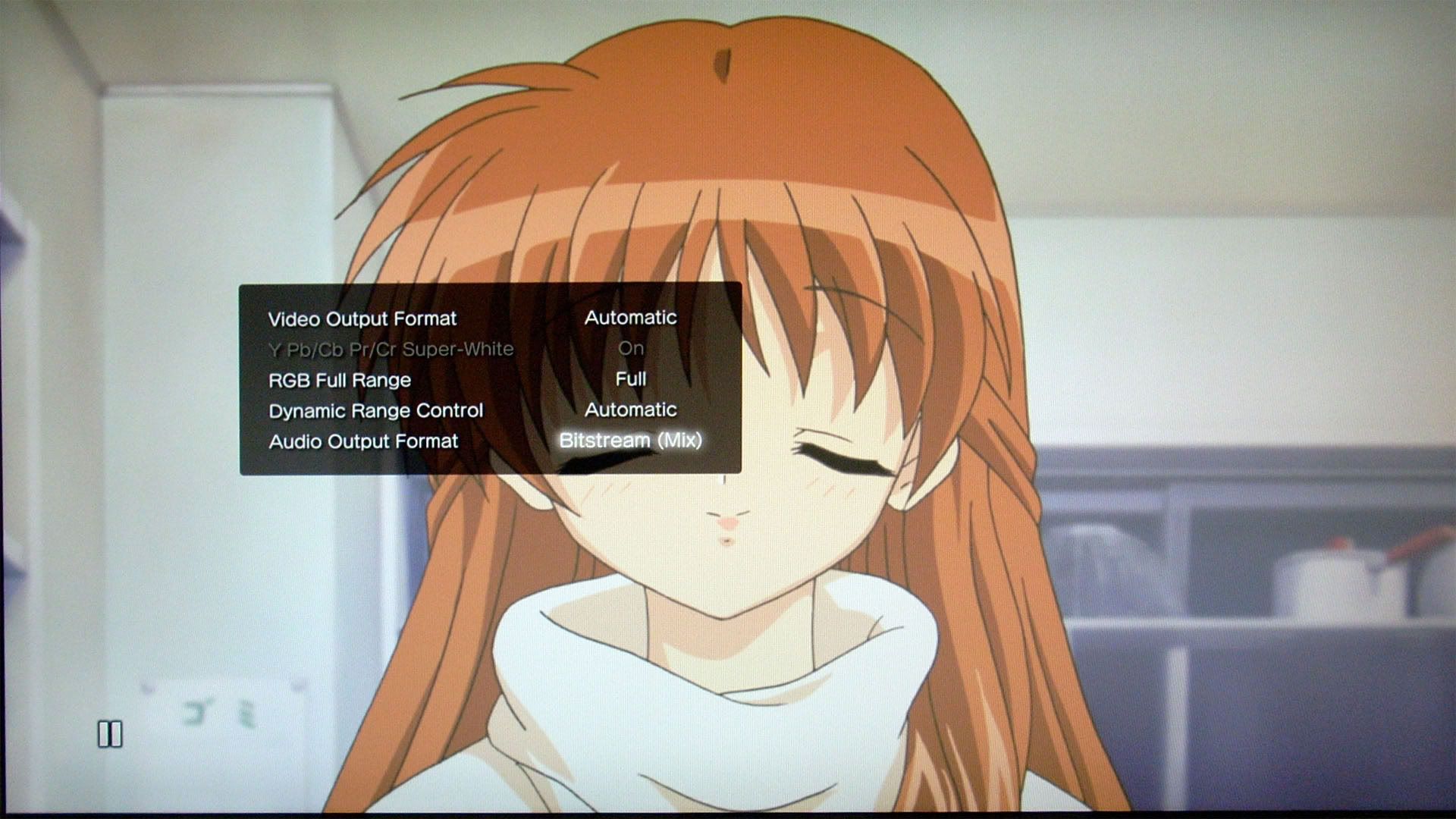
PowerDVD 10 has been working rock solid on my system. I’ve tried upgrading to different patches without any incident. Mark II versions support 3D playback, but I don’t have 3D equipment on my PC so I can’t try it. PowerDVD 10 removes DVD folder playback, that’s why I still have PowerDVD 8 installed for this very reason. (Another great alternative would be the older KMPlayer 2.9x which supports tons of screen capturing modes including subtitles and DVD menu highlights which PowerDVD has lost such capability ever since version 7). PowerDVD 10 also offers an outstanding upscaling feature that no other software players can compare. Another thing to note is that during Blu-ray playback, the hardware acceleration is locked to ON where users have no control to turn it off. In other words, the Blu-ray playback is based on video card hardware acceleration only. In DVD and file playback, users can turn on and off hardware acceleration. Another major upgrade since version 10 is that it changes from a dedicated disc based media player to an universal players. But as expected from some monopoly company, the capability of the file playback is extremely limited, especially on mkv support.
![SNAGHTML8e7ca3f_thumb[3]](https://blogger.googleusercontent.com/img/b/R29vZ2xl/AVvXsEjutYrB_yUSVfyMkZp1Wjhxen-oBOcXXkio6ZSEpHcejxI24p62_OtywgCR-xoyyqskHwyN-Z0wDG3PFc5S3yZpRhxGWMwmdFfVzM7jKDLo0OjXVL1MjVgHCLBVmWprG3FiDdimq6tgyVY/?imgmax=800 "SNAGHTML8e7ca3f_thumb[3]")
TotalMedia Theatre 3 with SimHD plugin (TMT3 for short). This software has fair to decent playback quality. The most unique feature is BDMV folder playback which Cyberlink is too scared to include. Another unique feature is allowing screen capture during non AACS protected BDMV/BD playback. Under windows XP, you can even capture subtitles and menu highlights. Under win7, such feature is lost due to probably change of rendering filter. TMT3 also allows turning on/off hardware acceleration during Blu-ray playback. It allows changing multiple audio devices during playback as well which is something PowerDVD 10 cannot do until some recent patch. The earlier TMT3 has problems in decoding DTS-HD MA streams such as DTS-HD MA 2.0 due to faulty decoder, but I believe the problem has been fixed in the latest *.185 patch. The only audio related problem is that the software cannot output audio to center channel or balancing the audio to stereo if the audio track happens to be LPCM 1.0 which some Criterion discs have.
![image_thumb[3]](https://blogger.googleusercontent.com/img/b/R29vZ2xl/AVvXsEg8hMffmlrBB1K4N9bCvSFV_qIXfaa6vHl0rQc-_Vni0W3c6J3_qtda-69TCMovFuC6xudXZa_BxSrJ_W0GQ0LrIcgx86FgeOWp09HBHr1SzXz-EJexCA6Hd1bn9kyqxGmUvsB-FrKZPvw/?imgmax=800 "image_thumb[3]")
TotalMedia Theatre 5 has been released in late 2010. They skipped version 4. So this is a direct update to the version 3. There are quite some major updates, some are welcome some are BAD! The good things include 3D playback, better upscaling capability. The bad things are UI change, remove of screen capture during BD playback. As a direct competitor to Cyberlink, Arcsoft has added shift the focus to an universal player as well. But same problem, the file playback capability are severely limited! It also claims to support several subtitle files such as srt, ssa, etc, but I’ve yet to try them. But for this kind of files, I think the free solution works way better.
I have achieved playing actual discs with all three software via a Lite-on BDROM, now a Pioneer Blu-ray burner BDR-206. For playback quality, my preference is: PowerDVD (Hardware Acceleration [HA] on; well, powerDVD always turns on HA for Blu-rays, you can’t turn it off since version 8)>WinDVD 9 (HA on)>TMT3 (HA OFF). PowerDVD gives the best visual quality, but BDMV folder playback and image capture function are disabled on build 2217a; while I didn’t spent too much time on winDVD 9 since it doesn’t do anything; TMT3 can play BDMV folder directly, plus it can capture images as long as the disc has no AACS protection (can capture images from Blu-ray ISO). But TMT3’s video quality is definitely the worst among the three, even after turning off hardware acceleration; with hardware acceleration on, the video quality is even worse, any still images will show aliasing lines, and the DVD playback is totally crapped out! So for serious viewing on PC, powerDVD is the way to go, TMT3 is only good for its functions, winDVD is somewhere in the middle…
For mounting Blu-ray ISO without a physical discs, first you’ll need that famous UDF2.50 reader if you are still using winxp. powerDVD has no problem with either Alcohol 120% or Virtual CloneDrive. TMT3 don’t like Alcohol 120%. After reading around online, I think I found the explanation:

Emulation from Alcohol puts Blu-ray ISOs as a giant DVD-ROM, while from Virtual CloneDrive regards them as a BD-R; although when building the images in Imgburn, I think Imgburn still treat them as DVD-ROM. (Well, Alcohol 120% has been working fine after version 2.0)

Obtaining Blu-ray ISO:
So far, only two pieces of software are easy to use: AnyDVD HD and DVDFab HD Decrypter. AnyDVD HD can work on-the-fly, while DVDFab only works on dumping files to hard drive (DVDFab has released a software called passkey which works very similar to AnyDVD HD now). After obtaining BDMV folder from the disc, the best option is to make ISO using Imgburn (AnyDVD HD can put ISO file directly). The reason I don’t like BDMV folder is because Blu-ray file structures are quite complicated, I don’t want to mess them up, this is especially important if you want to process m2ts in tsmuxer, eac3to later on; making an ISO will make the files read-only and not writable within the ISO so that you won’t mess up the original structure. The drawback to this is that you cannot put a srt/ssa/ssa subtitle file under the “stream” folder, load up mpc/Kmplayer/Potplayer to play the streams with subtitles. But currently the all these multimedia players are still poor at handling raw m2ts streams if there’s Dolby TrueHD and DTS-HD MA advanced codecs, I wouldn’t worry too much of losing this convenient feature.
Before burning, to make the ISO playable in software players such as PowerDVD, you’ll need to have a complete Blu-ray structure:
BDMV
-----AUXDATA
-----BACKUP
------------BDJO
------------CLIPINF
------------JAR
------------PLAYLIST
-----BDJO
-----CLIPINF
-----JAR
-----META
-----PLAYLIST
-----STREAM
CERTIFICATE
More info HERE.
So to summarize all the above, here is the procedures:
PC:
Original Disc->AnyDVD HD/DVDFab HD->BDMV->(Complete Blu-ray structure if folders are missing)->IMGBURN UDF2.50 making ISO+MDS/BDISO->Alcohol 120% / Virtual CloneDrive mounting->PowerDVD 8 2217a/10 / TMT3/5 HA off (specifically used for Title/Pop-up menu captures).
PC with additional subtitle without losing menu:
Now with the aid of various tools (free ones such as BDedit, MultiAVCHD, professional ones such as BD Reauthor Pro and Scenarist BD), it is possible to mux in picture based PGS steams into m2ts files. This is probably the most traditional way, but it requires the change of m2ts files which some people may not happy with.
Another solution is to use text based textST to “externally” attaching to certain m2ts files. The original m2ts files are completely intact, only the playlist files need to be updated. This technique requires Scenarist BD and some hacking. However, the drawback is that the subtitle rendering quality varies from player to player. Also the subtitle timings have to be meticulously calculated in order to not overflowing the 4MB subtitle buffer, therefore lacks flexibility. It is for some reason quite popular over at certain Chinese community.
PS3 without subtitle:
Mounted BDISO->TVersity with transcoding off+add BDMV folder to share->PS3 (only works on simple m2ts with LPCM, poor at handling complex Dolby TrueHD and DTS-HD MA)
PS3 with additional subtitle:
Mounted BDISO->tsmuxer with srt subtitle/4GB cut->FAT32 USB drive->AVCHD manager/AVCHDme->PS3 (no restriction, but menu is lost). With recently PS3 being jailbroken, I believe it is possible to support NTFS format now.
Maximum size for blank Blu-ray discs:
BD-R
12,219,392 Sectors
25,025,314,816 bytes = 24,438,784 KB = 23,866 MB = 23.31 GB
BD-RE
11,826,176 Sectors
24,220,008,448 bytes
BD-R DL
24,438,784 Sectors
50,050,629,632 bytes
46.61 GB
BD-RE DL
23,652,352 Sectors
48,440,016,896 bytes
"If the disc is formatted with what's known as 'spare areas' for error correction etc (part of the blu-ray standard), that size will be smaller still.”
http://forum.imgburn.com/index.php?showtopic=8315
Imgburn to turn on spare areas:
Tools-->Settings-->Write-->Prefer Format Without Spare Areas (versions after 2.4.3.0 has this on as default)

Here goes the 122509 update:
A little bit about the players troubleshooting, mainly for TMT3 going explode (causing PC immediate reboot, no BSOD, not even a chance for memory dump). So this is the third time I got hit by this, last two times I got away from it by reinstalling winxp because I did have a reason to, but this time I definitely DO NOT wish to reinstall. So I did a bit research online, and found out I’m NOT alone. The only difference is that some users were speculating about hardware+driver deficiency, while my situation is that it occurs when I installed Canopus Edius NLE on my system (so more like pure software incompatible).
Here’s the procedure I solved the problem this time:
Uninstall Canopus Edius
Uninstall Canopus codec
Uninstall TMT3 completely (manual register and folder cleaning required, see below for details)
REBOOT
Install Canopus
Install TMT3 –> Reboot –> Update to latest .160 version as of this writing –> Reboot
And miracle did happen when I did the above steps.
Details on how to clean uninstall TMT3:
Step 1: Please uninstall the program in the Control Panel. If you have other ArcSoft programs installed, please uninstall them too. Then delete the program files in "C:Program FilesArcSoftTotalMedia Theatre" folder (the installation directory).
Step 2: Delete all the files and the folders (including the hidden ones) in "C:Users<username>Application DataArcSoft" and "C:Program FilesCommon FilesArcSoft" folders.
Step 3: Double check "archlp.sys" in "C:WINDOWSsystem32drivers" has been deleted, if not, please deletes it manually.
Step 4: Clean up the registration files:
1).Go to the Vista Start menu and click in the Start Search Dialog Box, type "regedit" and press Enter.
2).Delete "[HKEY_LOCAL_MACHINESOFTWAREArcSoft]" and "[HKEY_CURRENT_USERSoftwareArcSoft]" these two nodes.
Step 5: Reinstall TMT after rebooting the computer.
http://cid-6e8f6dc16096cb25.skydrive.live.com/embedicon.aspx/TheFiles/TMT_TroubleShootingGuide.pdf
Reference Links:
http://www.avsforum.com/avs-vb/showthread.php?t=1118509
https://ssl.arcsoft.com/forum/forum_posts.asp?TID=1359&PID=6030
http://www.arcsoft.com/forum/forum_posts.asp?TID=1642&PN=3
File system:
For cars mp3 CD:
change the filesystem to ISO9660 + Joliet
Joliet is what most standalones will look for when playing MP3 / DivX discs.
Use UDF when you're burning DVD Video / HD DVD / Blu-ray discs.
Here goes the 01192011 update:
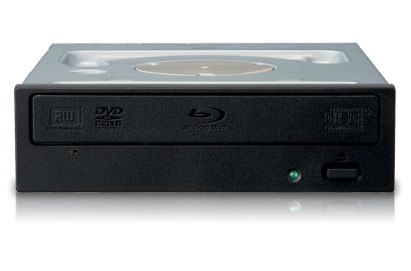
So at the beginning of 2011, I finally bought a Blu-ray writer - Pioneer BDR-206. Actually, I got the retailed BDR-2206, which comes with Blu-ray playback software PowerDVD and an extra case. Otherwise it’s exactly the same as the OEM BDR-206. I was a bit disappointed to find out even the 2206 didn’t include power and SATA cables. BDR-206 is more like a price-down re-release of last year’s BDR-205 rather than introducing something new. Well, there’s the BDR-206MBK which is world’s first BDXL 128GB quod layer writer… Here are some initial impression.
To go along with the writer, I ordered 5 Mitsubishi BD-RE DLs and 3 Sony BD-RE SLs on ebay which shipped from Japan, rather than going with the domestic ones which one BD-RE DL will cost a ridiculous fortune. Majority of my projects are BD50’s, I have very little use of BD25 discs.

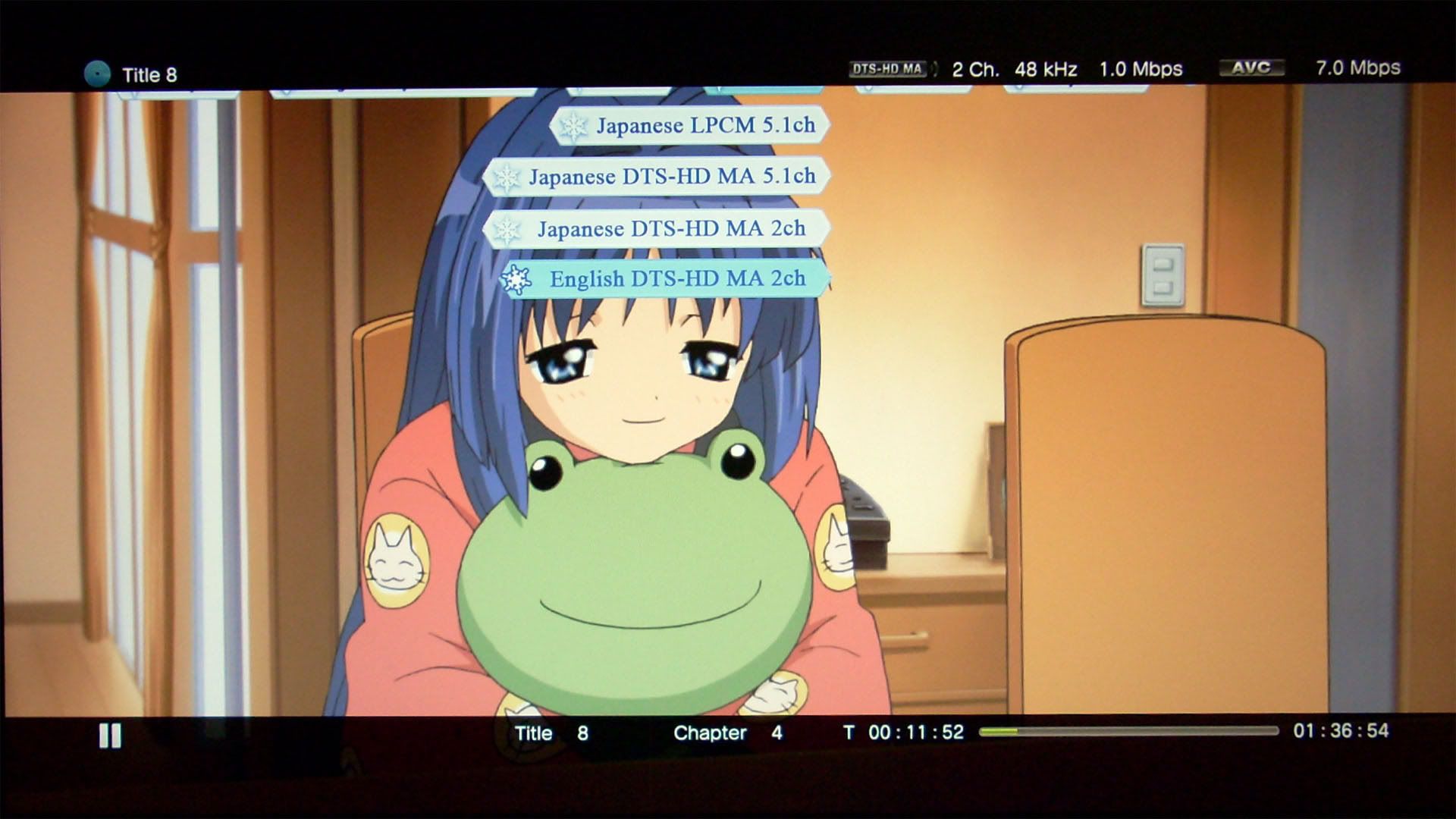
For the BD-RE DLs, I was able to get the original packaged Mitsubishi 5 pack. The discs come with a media code TDKBLD-Wfa-000. I was a bit disappointed and was worried about the compatibility with my Playstation 3 since I read online that this specific media code doesn’t go along with the launch 60GB Playstation 3 well. But fortunately, everything went extremely smooth, I was able to play it without any problem. I’ve watched two movies all the way through without any problem. The first time of using requires a full format which takes as long as writing the discs to full which is 90 min. The data verification process takes about half of the time at 45 min. And as the instructions about imgburn above, I burned these discs with spare area without any problem.

For the Sony BD-RE SLs, I bought the re-packaging ones. These come with packaged without the case. I have no problem using these either, everything went smoothly. But I have to admit worrying about the legitimacy of these discs at first. The disc media code is SONY-ES1-002, which I believe are the same as the ones sold in US. The burning process takes exactly half of the time as BD-RE DLs since BD-RE SLs are exactly half of the size unlike DVD 5 vs DVD 9.
I’ve also burned some CDs and DVD 5s using this writer, and everything is smooth, but I’ve only got verbatim ones, can’t test anything else.
Lastly, some testings on my projects so far:

1. The projects authored in Scenarist BD has a very GOOD compatibility in PS3’s compatibility. There’s a playlist with PIP and always-on menu I had in the project, I could never get this to work in PowerDVD 10 various patches and TMT3/5, Sonic’s Scenarist QC worked to some extent, but it runs exactly as I intended in PS3! Other navigation stuff all worked correctly which exceeds my expectation. Since PS3 DVD’s playback has some quirks, I’m a bit overjoyed.
2. The current top menu audio switching isn’t very smooth, I need to change it to switch at the end of the playlist rather than switching right away.
3. The picture in the metadata, as shown above, needs to have much larger texts. The two picture size are only 640*360 and 416*240.
4. Return button might need to use a second button in BOG to turn off popup menu, otherwise the menu would stick on screen until the title is jumped.
Here goes the 04052011 update:
Some more experience on Blu-ray burning, most of the discovery is posted HERE:
1. The BD-RW DL needs a “break in” on first time use. It is best to burn the disc to FULL 46.61GB the first time!
2. DO NOT write *.img files to BD-RW DL if you have a Pioneer burner, it will cause permanent BAD SECTORS to the disc!

3. If you create an mds file from the info given by Scenarist BD, the layer break shown in imgburn is for reference ONLY. Imgburn does not support Blu-ray layer break because the author cannot find such a command to stop the burner.

4. Changing layer break setting WILL affect the output *.img file in Scenarist BD. Although the file size will be the same (as expected since nothing is added or removed), the hash values are different. The differences can be compared using a HEX editor.
When you output images, you also get the following extra files:
file_addr.map (contains the file sequences info I talked about earlier)
Layer1LSNInfo.txt (contains layer break sector)
MDC_Image0.dat
Pic_info_mux.dat
ucd0.dat (it's for layer0 info, but filled with ALL 0s, the size typically ranges somewhere 200MB+ and proportional to the layer break setting)
ucd0.dat.SHA
ucd1.dat (it's for layer1 info, but filled with ALL 0s, the size typically ranges somewhere 100MB+ and proportional to the layer break setting)
ucd1.dat.SHA
These files seem to be used for replication purpose, I found a patent explaining these files HERE.
HERE goes 20110419 Update:

After somewhat semi-successful experience with BD-RW DLs, I finally stepped up to the new “brave” world of BD-R DL burning. This time I got the original packaged Mitsubishi Verbatim 1-4x BD-R DLs, 5 pack. Disc ID: VERBAT-IMd-000. The packaging doesn’t say the origin of manufacturing, but from the info I found online, it’s supposed to be Singapore. I’ve finished burning all 5 discs now. I don’t have any problem for this batch, all burned and verified by imgburn successfully. I’ve tested playing the first disc, there’s no skipping so far. Also these discs are inkjet printable, so I got an EPSON Artisan 725 yesterday and printed cover arts on them successfully. The only problem is that these discs have a wrap around verbatim brand info which you can’t print over. It’s somewhat annoying. Otherwise I’m pretty satisfied with the finished work, looks very professional.


![SNAGHTML8dc4c88_thumb[3]](https://blogger.googleusercontent.com/img/b/R29vZ2xl/AVvXsEjYV_4rLG4dR-_1AUw2uVxqRZGoFWOH1uqixYXpMaoZgMNVY-rocVH0WcHtIZVhPYO3FxtgkDBKHtEdcKlUzjKfcRbVMDZ3Rg-48Q9ukqqv8wG3S3EmtTdLkoatTJJ_UXJEhGLXQC5bD10/s1600-h/SNAGHTML8dc4c88_thumb32.png "SNAGHTML8dc4c88_thumb[3]")
![SNAGHTML8e7ca3f_thumb[3]](https://blogger.googleusercontent.com/img/b/R29vZ2xl/AVvXsEjoYdJdCPDN9DX00YowfogtNOgU60YoVFNZHOhVbgJpIE3vee4NualRpBI6FZUFfmEbSqNBQIqsDy-xcnWikQaLg4LHw_lBy-JXMmIUQb1nTyDAAAiaaNzKzsTDWDLc1-cTq-Nbxxl_Osc/s1600-h/SNAGHTML8e7ca3f_thumb36.png "SNAGHTML8e7ca3f_thumb[3]")
![image_thumb[3]](https://blogger.googleusercontent.com/img/b/R29vZ2xl/AVvXsEhPuts140zUdilbmJMTVJHIKsrMX-7ob7fe_9ziaXTcoq6rx7dc59omqcmPbkqhdVPg5VQIhqQrw-hfobQmlQRY58pMRVeJRFoC6aH8ZxVoOs0lUhP49UG7EgzyxgQwX7qxyxd7x_qCyPo/s1600-h/image_thumb36.png "image_thumb[3]")





1. Easy timing, ctrl+c for start, ctrl+v for stop, yes it's that easy
2. Can change the FPS on the fly, this is a very essential function for DVD production
3. Easy delay adjustment
4. Has a video player supports quite a few video/audio formats including mkv
5. Error detection such as long sentences, time collision, etc...
6. Vast subtitle formats output, almost any DVD authoring tool, you name it!
There are also three major shorcomings:
1. Only supports ANSI codes, no unicode support
2. Doesn't support advanced SSA/ASS script such as karaoke, and truncate any of those codes when importing!
3. Can not show subtitles with time collison, only the first one will show
Here is a screenshot for subtitle workshop:
Bottom line:
If you intend to produce home-brew DVDs, this is a must have! (in conjunction with maestroSBT)
Aegisub:
This is a relatively new tool, but it's already been widely used by Fansub groups (but not so popular in China since people got another tool called popsub, originally developed by kuti from popgo forum - a forum dedicated for fansubbing, probably one of the biggest fansubbing distributor in China). Back to Aegisub, it's really powerful, and more oriented towards fansubbing (specifically ASS as what the faq said) since its outstanding supports for SSA/ASS advanced scripts. I have only been playing around this tool recently, and start to like it more and more, most importantly it has all the essential functions from subtitle workshop.
It has the following features which I liked:
1. Can read subtitles directly from mkv file
2. Can extract sound from mkv file and show the waveform for easier timing, also has supports for a few video/audio formats
3. It can convert framerate as export to a new file, not as convenient as subtitle workshop, but it's there...
4. Unicode support
5. Has internal spell checking
Again there are cons:
1. Supports ASS format exclusively, no other format output...
2. Very powerful, but not as intuitive, has a bit learning curve
3. No on-the-fly framerate change
Here is a screenshot for Aegisub:
Here is a screenshot for Aegisub with wav spectrum read directly from mkv file:
Here is the exporting menu, framerate can be changed here only:
Bottom line:
A powerful software designed for fansubbing, not the easist to use, great support for mkv and ASS.
Well, here are some simple settings that will speed up the syncing process a bit:
So basically I mapped the most used keys from F1 to F5. F1 go back a line, F2 play the current line, F3 go next line, F4 commit change and stay current line, F5 play last 500ms. The tradeoff to this settings is that I’m currently losing “2” on the big keyboard area, but it’s still accessible on keypad.
Next is to set the highlight line in yellow, which makes current line stands out better than the original lake bluish color.
MaestroSBT:
This is not really a subtitle timing tool, but rather a subtitle rendering tool. So the timing part has to be done in other sofrware. The development has been halt for 2 years, the last build is 2.6.0.0 released back in 2005. It is designed for advanced DVD authoring tool such as DVDMaestro or scenarist, but can also be used for free tools such as muxman.
It has the following great features:
1. Supports unicode and ANSI (can save files with foreign character with unicode though)
2. Supports multiple styles, thus can have different fonts/colors (colors are limited at three at the same time if no boarder, two at the same time if has boarder due to the limitation of DVD spec)
3. Supports subtitles with time collision (reported bug used with muxman though)
4. Supports 16:9 subtitles with aspect ratio corrected (even on some commercial DVDs we still see squashed subtitles!)
5. Supports Frame input and output for NTSC non-drop frame
6. Multiple resolution support, can even custom resolution
There are also two cons:
1. As a great software for DVD, it is a bit outdated for rendering high definition subtitles although doable but only with awfully four colors... This software hasn't been updated for more than two years now!
2. Need to set files, timing every time loaded, a liitle bit inconvenience...
Here is a screenshot for MaestroSBT:
The software supports both unicode and ANSI, but when dealing with scripts with foreign characters from subtitle workshop (ANSI), have to convert the file to unicode, or MaestroSBT will just report save failure... For pure English characters, unicode and ANSI both work fine. It takes me a while to figure out this useful feature(button)...
It can output different resolution, and has fix for 16:9 widescreen DVDs, normally you have to render two different subtitles for widescreen DVDs, one for 4:3, one for 16:9. If only one is done, the subtitle will look ugly squashed either in a 16:9 TV or a 4:3 CRT TV depends which one is missing...
Framerate input and output control, for NTSC non-drop frame, the input is always 29.97 and output is 30, or the subtitle won't match the video/audio; if dropped frame, input and output should both be 29.97.
This is where the software really shines, multiple styles and time collisions make the DVD subtitle look actually a bit like SSA/ASS on computers, no karaoke support though.
This is how the new file (2.ssa) compares with the old file (1.ssa), even all the position info are saved (not in the screenshot):
Bottom line:
Must have software if you want to have a professional looking DVD! Hope there will be some updates (better rendering quality) when the high definition authoring are more adopted to the public.
Avs2bdnxml v1.13
This tool was written by ps-auxw from doom9. It took us almost a year to fix all the bug and add some advanced features that no where to be found on even some of the commercial software. So here is the final version v1.13 which is the first version that can generate very decent Blu-ray pictures without much bug as far as my testing goes. Where it shines is its support for ssa/ass format. Unlike MaestroSBT, this tool uses vsfilter to generate its subs, so there’s no conversion. Everything from the ssa/ass side is preserved. But this is also where the problem occurs since Blu-ray doesn’t have big enough decoding buffer (4MB) to accommodate the pictures it generate. This tool generates pictures by detecting any changes from the vsfilter, so if there’s constantly rapid changing of color or position, it will generate picture frame by frame which Blu-ray don’t like.
It has the following great features:
1. Supports 8bit 256 color png or 32bit true color png.
2. Supports non-drop time frame automatically, does NOT support drop time frames.
3. Can do picture cropping and dual window slicing which are very important features for Blu-ray buffer optimization.
4. Can do splitting to specified frames to improve video time searching (only found on Japanese releases).
5. Works extremely well with Aegisub and Sonic Scenarist BD.
Cons:
1. The ssa/ass format pragmatic approach is NOT very compatible for Blu-ray, so users have to be aware of the limitations in order to not overflowing the buffer.
2. Dos only, no GUI.
3. Deank’s easySUP trying to integrate this with BDSup2Sub which the latter CANNOT generate Blu-ray subpictures correctly. But unfortunately very few people know the true limitation of BDSup2Sub. It’s a big disservice to avs2bdnxml with good intention.
4. Cannot generate *.sup which also hinders its usage (not everyone is using or willing to learn how to use Scenarist BD…)
Final thoughts:
So here are the FOUR software I've been using, they are all great software thanks to the authors.