Tuesday, June 28, 2011

SONY VPCF13UFX/B Laptop Review 06-28-11 Update


06-28-11 Update: Some comment on the Atheros AR9287 PCI-e wireless card after switching a wireless n router. See at the back.

06-12-11 Update: It’s been another month, the laptop has been running pretty smoothly. The AC adapter seems fine for now. And almost no incident of BSOD after I figured out the driver conflicts except one incident where a kernel crash occurred one morning due to ntoskrnl.exe. But this is after almost a full month continuously running without shutting down. I’ve also upgraded the display driver to 270.61, which I had only encounter the driver kernel crashing for once. I’ve also tried encoding some video on this machine, while there’s definitely some speed boost, it’s not as significant as I had hoped. But I have to admit that my encoding parameters are quite demanding…

05-11-11 Update: First major follow up after two month and a half of heavy use. OK, bought this machine on Feb 25th, AC adapter started making constant high pitch buzzing noise on May 4th. Have to call SONY support on May 6th (Friday) to get a replacement AC adapter. Was told that it will arrive within 7 days. But received it on May 9th (Monday). That was pretty fast, but still disappointed at how unreliable the product was…

So the left is the replacement model VGP-AC19V45, the right is the original shipped model VGP-AC19V15. As you can see, the replacement is much larger, which translates to much heavier than the shipped one. But they did have the same spec (input, output). The replacement is still NOT entirely “quite”, you can hear the electronics (presumably a fan?) running if you stick your ears to it. It became more obvious in the night when everything is quite, you can hear it within a short distant. The packaging indicated that the replacement may or may not be refurbished. Upon checking, the 45 is indeed an old model that shipped with laptops manufactured last year, the 15 comes with the new ones shipped this year! One minor improvement for this replacement is that it handles the interference a lot better, you can barely hear the noise from headphone port, well, still a little during the night… So maybe the old adapter was DOA right out of the box? That’s what I want to say about the adapter for now. But I’m sure I’ll request another one AND the battery by the end of the one year limited warranty.

Another quality issue I have recently is the BSOD in Win 7 caused by drivers. The two types of BSOD I’m encountering are the netio.sys caused by the nic (not sure if it’s the Marvell Yukon gigabit or the atheros wireless) and nusb3xhc.sys caused by NEC USB 3.0 driver respectively. It would almost BSOD every single DAY, completely randomly! So I reinstalled the system from scratch, actually installed Win 7 Ultimate this time. But before that I went to the SONY website to pick up all the drivers, have to download that retarded taxi driver program… I opted to not install a lot of the unnecessary software this time, the installation is apparently smooth, every component worked fine except I didn’t install the hardware diagnose program and VAIO media gallery so that I can’t use the ASSIST and VAIO button. I didn’t install the auto update program as well since at this point I can no longer trust the “official” drivers from SONY. But as I had expected, this didn’t stop the machine from BSOD with the nusb3xhc.sys from crashing! Then I suspected it must be the “official” drivers! So I uninstalled it, and grabbed the driver from NEC directly. Now it seems to be working fine, at least for the past week I haven’t restarted the machine! I never installed the two network drivers BTW, therefore haven’t encountered any BSOD from netio.sys crashing. The atheros driver is from win7, the Marvell driver is from the manufacturer since win7 has a really old driver. So anyway, here are the drivers for NEC USB 3.0 controller (2034) [the official one from SONY is 2040 or 2041, but somehow 2034 is newer?] and Marvell Yukon gigabit (11.41.3.3).


BTW another issue I have is the Nvidia driver seems to crash from time to time, then had a kernal recovery. During the crash, there will be a split of second that the screen would go black, sort of like win7 switching from aero effect to no effect. But since this doesn’t happen too often and didn’t BSOD, I haven’t taken any action on this one. Well, the only thing I could do is to install a newer driver I guess. And hope for the best, it’s not a hardware issue! The driver from SONY (259.03) is apparently a special Tesla driver.

Also I’ve enabled Virtualization permanently in BIOS since I need to use VMware. There’s apparently very little impact on the fan noise unlike I said earlier.

04-07-11 Update: Minor follow up. Now I discovered that both running on AC or on DC battery, this machine will output some constant humming noise ALL the time, this is particularly noticeable if you are in a very quite environment. The noise comes from the power button area on the right.

When on AC, there's also the noise from headphone port which I'm fighting with since day one. However, I found that if the battery level drops below 75%, even if you're recharging (means on AC), the noise disappears! But when charging above 75%, the noise starts returning. I don’t think there is any fix on this problem except attaching an external sound card!


03-07-11 Update: I’ve got the Realtek audio mystery mostly figured out. It’s more of a problem from my environment. Mainly the interference of the noise issue is from the power supply due to my building is NOT properly wired. When attaching the power plug in, the noise IS there, but when using internal battery, the noise is NOT present! Also, the SPDIF does support ac3 and DTS pass-through, but by default it’s off. 

I’ve been looking for a laptop for some time now. So I finally decided to bring home a SONY VPCF13UFX/B last week. Got it from local retailer store with somewhat OK price. I was actually waiting for the sandy bridge ones, but this Sony seems nice and have all the features I want. So I splurged some money on it, $800+tax to be exact, the most –expensive laptop I’ve ever bought so far.

Specifications:

Operating System: Genuine Windows® 7 Home Premium 64-bit

Processor: Intel® Core™ i7-740QM, 1.73GHz with Turbo Boost Technology up to 2.93GHz, 6MB Cache

Graphics: NVIDIA® GeForce® 310M with 512MB dedicated video RAM

Memory: 4GB DDR3 SDRAM Memory, Max supported = 8GB

Storage Drive: 500GB SATA Hard Drive

Optical Drive: DVD-Super Multi Drive

Display: 16.4" Display, 1600x900 resolution

Audio: Intel® High Definition Audio with Dolby® Home Theater Technology

Webcam: Built-in MOTION EYE® camera and microphone

Communications: 10baseT/100baseTX/1000baseT, Bluetooth with Integrated Stereo A2DP (2.1 + EDR), Atheros® 802.11b/g/n

Expandability: Memory Stick® Media Slot: 1, Express Card®/34 Slot: 1, Secure Digital (SD) Slot: 1

Ports: Headphone Jack: 1, Microphone Input: 1, VGA Output(s): 1, e-SATA: 1, HDMI™ Output(s): 1, USB 2.0: 1, USB 3.0: 2

Battery: Standard Lithium-Ion (5000 mAh)

Software:

Microsoft® Office Starter with reduced-functionality versions of Word and Excel, VAIO Care™, Media Gallery™ , PMB - VAIO Edition, Norton Internet Security™ 2011 30-Day Trial Offer

Photobucket

Some highlights are i7 740QM processor with quad-core 8 threads, 16.4” with 1600*900 resolution, Nvidia GF310M dedicated video card with HDMI output, 500GB 7200RPM Hitachi HDD, 2 USB 3.0 ports, 1 USB/eSATA port, backlit keyboard, bluetooth, crappy realtek HD audio with SPDIF digital output (shared with headphone), which are basically the things pushed me over to make the purchase. Another reason I got a SONY is because the PS3 leaves a very good impression, I hope this second big SONY product could work magic for the another time.

So here is my initial impression about the machine after a week of use.

Epson Artisan 725 Color Inkjet All-In-One Review – 062811 Update


06282011 Upadte: Adding troubleshooting for cannot find scanner issue at the back.

Photobucket
So Office Depot is offering a trade-in special on this EPSON Artisan 725 Color Inkjet AIO. I picked it up for $50 after turning in my ancient Lexmark AIO (which is still functioning I believe, but they don’t care if the printer is in working condition).
 
I picked up this model because I want to print CD/DVD labels with those direct printable surface. Also I want to print covers for the keep case. Plus the reviews on Amazon seems overall positive. After owning it for a week, printing a dozen labels/photos, I have to say that I’m impressed with the printing quality from this printer with its 6 color HD ink system. Also the network function exceeds my expectations. I have previously owned EPSON CX4400, CX7700, CX8400 AIOs (I so miss those great days where you can buy a cheap $10 camera and get these AIOs for free. Well, more like for free ink), but I wasn’t able to get much from those models. But this Artisan 725 packed with so much advanced features which made it worth the money.
 
 
First impression is that the printer is heavy and large, it takes up a lot of spaces! But I do like the top is flat unlike the previous CX8400. Initial setup was pretty easy. For connections, You can choose between USB, wireless, wired network. I opted for wired network installation since my desktop doesn’t have wireless and I want to have printing/scanning on all of my computers. So my particular setup was router –> 8 port switch –> printer. 2 laptops connected to the router wirelessly and then the printer, then 1 desktop connected to the switch then the printer. All computers can now access to the printer’s card reader, printer, and scanner. The card reader is mapped as a connected network device, on 32bit system, it seems to use up a drive letter Z, on a 64bit system, it shows up as a network device which didn’t use a drive letter. I’m not sure if it’s the normal behavior, personally I prefer as the latter since I’m running out of drive letters on my desktop!
 
 
Photobucket
 
Software consists of printer driver, scanning software (no OCR), network manager. There’s not much change between the driver and scanning software interface since those CX series. I never liked the scanning software, but I can live with it. It seems adding an office mode aside from auto, home, and professional from the CX series. The only thing I’m missing is ADF automatic document feeder but since this is an entry level model, they didn’t equip it. The scanning speed has improved dramatically. Either from lamp warming up to scanning, it’s really fast compared to the CX series. I can now scanning at 600dpi within minute, this took ridiculously long before on the CX8400. And the image is instantly available across a lousy slow wireless g network, even for images that are saved as *.bmp which could take up to 90MB easily (600dpi).


Another note for the network setup is that I wasn’t able to use the default WSD port for the scanner to work. But adding a standard TCP/IP port works. The only problem is the ink level checking no longer works. But you can still check the ink using the web interface by typing in the IP address: http://xxx.xxx.xxx.xxx/PRESENTATION/
 
 
The screenshot reflects the ink level after printing ONLY a total of 6 DVD labels AND 8 keep case covers. So yes, this is another ink guzzling machine as expected… At this rate, I guess the yield is gonna be less than 100 paper… I’m not sure how they could claim 500 yield on draft mode… But this is not too surprising…
 

Photobucket

One thing that changes quite dramatically is the paper tray. It’s a 2-layer design where the large sized paper going the bottom, and small sized photo paper going the top. Some people on Amazon mentioned the printer has trouble grabbing two pieces of paper at a time, I only had this problem with some really thin copy paper supposedly used for laserjet, but that was not supposed to be used for inkjet…

Photobucket

Another tray is the CD/DVD tray for printing labels. It’s built-in unlike the previous models. You have to tilt the touch panel all the way up to see this tray. There’s a button on the touch panel to eject and close the tray, otherwise I don’t find such a button in the CD Printing software. It feels more like burning a CD/DVD now. The tray emulates a full size A4 or letter size paper. And it’s printing the image upside down. I have to mention this because the Verbatim BD-R DLs I got have letters on the disc where you cannot print over, so I have to adjust the orientation to avoid the letters covering on the important part of the images. The provided sample Memorex (oops!) CD-R does have white printable surface edge to edge without any letters. However, the printable Verbatim DVD-R/+Rs I got a while back has large non-printable center hub… So the discs really vary from model to model.

Another change is the addition of duplex module at the back. Double sided printing seems pretty standard nowadays, but I really don’t see much use on an inkjet. The module is large, and sticking out too much IMO. While it is removable, it leaves a large opening at the back, and EPSON didn’t provide a cover.

Photobucket

Printing, I’m very satisfied with the performance. It could easily compete with any local photo labs, if not better. The only problem I had initially was disabling color profile in EPSON’s driver so that it converts the colors twice, which causing the colors to be smeared and appears magenta… After reading this article on Adobe’s web, I was able to print photos very close to what I see on the screen even without any calibrations.

So basically you have to choose EPSON’s profiles in PS, then disable the ICM color adjustment in the printer driver:

From PS:

Photobucket

From driver:

Photobucket


Other neat features include operating without using computer. You can copy documents, even CD/DVD labels directly using the printer. You can also scan images directly onto memory cards. Then the images are shared across the network! Operating with computer, you can use the touch panel to scan pictures, open email application on the computer without using the software on the computer. (It would be cool to be able to send images as email attachments directly without computer) Also the USB port supports charging USB devices which I haven’t tried yet.

Lastly, this is the CD/DVD template for PS. This let you print labels directly inside PS, instead of using the included CD printing software which doesn’t have much flexibility… It’s from CDfreak, although it says it’s for Artisan 810, it works for my Artisan 725.

Recently my router broke, so I have to swap it. The problem is that the IP address changes, can the replacement one doesn’t have a fixed IP feature like the old one. Therefore the IP address of all my network devices changed, which of course includes this printer/scanner. The issue is with the the scanning software – Epson Scan cannot be started. So I looked into this, found that you have to enter the IP address manually in EPSON Scan Setting.

SNAGHTML42b710

You might want to delete the original scanner, since it’s no longer useful. Clicking the Edit button only allows you to edit the name, so it’s useless. So just delete it, and add as a new.

SNAGHTML4429a0

Now the automatic search doesn’t work for me, so I have to enter my network address manually. The IP address can be found inside the router. This should solve the scanner problem.

Sunday, June 12, 2011

June 2011 Blu-ray Purchase - Back to the future with Delorean bundle and its case


Photobucket
 
I got this from Amazon for $24.99. Not too shabby, although there’s better price as of this writing. The one I got is with the hotwheel Delorean 2011 model.
 
Photobucket
 
Photobucket
 
I guess the package is what the so-called older ones with shorter size? The discs come with digi-pak. The disc holders is yet another new creative type. It took me 10 minutes to figure out the correct way to handle these…


The disc holder has 3 fixed spots to hold the disc, there’s no traditional center button to push, instead you get two clip thing at the bottom. You need to use your index finger to hold the center of the disc, then push the disc against these two clips and lift the disc up. It’s another bad packaging, I never like digi-pak in the first place anyway. But it’s better than Fox’s Planet of the Apes 40th anniversary packaging (This one is from Universal). I haven’t decided if I should transfer these 6 discs to the 6-disc empty case I bought earlier. Digital copies are pretty much useless to me. If I ever need a copy, I would rather rip the disc and encode myself.

Wednesday, June 8, 2011

PSN free 2 game downloading issue and solution


This could be quite helpful, if you have issues with downloading the free 2 game from the welcome package, try this:

1. On your PlayStation 3 or PlayStation Portable navigate to the PlayStation Network icon on the XMB
2. Log into your PlayStation Network account and choose Account Management > Transaction Management > Services List
3. Choose “PlayStation Network Promotions” from the list of services displayed
4. Select either “PS3 Free Games” or “PSP Free Games” and then choose “Select Content”

My issue was I only downloaded my first free game, then when I log back to my PSN the next day, I can access the free game selection section, but I can’t see anything listed there. Very weird. But the service list trick solves my problem!

Also remember to get the free 2 PSP game even if you don’t have a PSP. Who knows if you might have a PSP or Vita someday in the future, they are free, all you need to do is just keep them in the downloading list. I think you can download the same file upto 6 times?

BTW I got dead nation and Super Stardust HD. I’ve already finished dead nation with the Braindead level (easiest). The game is pretty short, but quite fun. It could go pretty insane at times with so many zombies! But the optimization must be quite decent, since the loading is quite fast (talking to you, might&magic…) and the frames rarely drop due to intense graphics which I was quite amazed. Super Stardust HD, I’ve always wanted this game, but it’s a tough game…

Friday, May 27, 2011

LG Optimus T (Android smartphone) preview


So I managed to get my first smartphone – LG Optimus T from T-mobile. The phone was on sale on T-mobile’s prepaid site, I was able to get it for $120 with a $30 prepaid card. Although it’s described as refurbished, the phone came in in pretty good condition. The only thing that’s a little strange is that T-mobile puts the SIM card inside the phone already. I checked it to make sure that it’s NOT activated already. Accessories include a 2GB microSD card with adapter, a wall charger with detachable USB cable.

Spec:

General
2G Network
GSM 850 / 900 / 1800 / 1900

3G Network
HSDPA 1700 / 2100

Size
Dimensions
113.5 x 59 x 13.3 mm

Weight
129 g

Display
Type
TFT capacitive touchscreen, 256K colors

Size
320 x 480 pixels, 3.2 inches

- Accelerometer sensor for UI auto-rotate
- Proximity sensor for auto turn-off

Sound
Alert types
Vibration, MP3 ringtones

Loudspeaker
Yes

3.5mm jack
Yes

Memory
Phonebook
Practically unlimited entries and fields, Photocall

Call records
Practically unlimited

Internal
170 MB

Card slot
microSD, up to 32GB, 2GB included

Data
GPRS
Class 10 (4+1/3+2 slots), 32 - 48 kbps

EDGE
Class 10, 236.8 kbps

3G
HSDPA 7.2 Mbps

WLAN
Wi-Fi 802.11 b/g, Wi-Fi hotspot

Bluetooth
Yes, v2.1 with A2DP

Infrared port
No

USB
Yes, microUSB v2.0

Camera
Primary
3.15 MP, 2048x1536 pixels, autofocus

Video
Yes, VGA@18fps

Secondary
No

Features
OS
Android OS, v2.2 (Froyo)

CPU
600 MHz processor

Messaging
SMS (threaded view), MMS, Email, Push Email, IM

Browser
HTML

Radio
Stereo FM radio

Games
Yes + downloadable

Colors
Burgundy, Titanium

GPS
Yes, with A-GPS support

Java
Yes, via Java MIDP emulator

- Digital compass
- Social networking integration
- Google Search, Maps, Gmail
- YouTube, Google Talk, Picasa
- DivX/Xvid/MP4/H.264/H.263/WMV player
- MP3/WAV/WMA/eAAC+ player
- Document viewer
- Organizer
- Voice memo/dial/commands
- Predictive text input (Swype)

Battery
Standard battery, Li-Ion 1500 mAh

Stand-by
Up to 450 h

Talk time
Up to 5 h


Photobucket

The first thing I did was rooting the phone so that I can use some apps such as Titanium backup (backup, removing apps), Link2SD (move SELECTED apps from internal storage to SD cards) without restriction. I followed this guide upto the recovery (backup rom) part, didn’t go further to flash a new custom rom since I found the stock system works good enough for my needs. Everything worked out smoothly. Rooting however is NOT to be confused with unlocking. I still need to call T-mobile for the unlocking codes after 60 days.

Since this is my first smartphone, I don’t have very high expectations for what it can do. I have previously owned an entry level Palm, but I wasn’t able to use it much, now it’s just sleeping in my drawer collecting dust. But now after almost a month of using of this LG Optimus T, I’m pretty impressed with what it can do. The most convenient feature is of course the WIFI, which greatly expands the usability of the phone. It integrates google services tightly. You can get all kinds of apps from Android market (or the slim version T-mobile market, not recommended). Of course you’ll have to appreciate majority of them are FREE. Most of the free ones are however ad based, but I don’t mind since developers are of course need to make a living. The performance is mostly decent enough, operation is pretty snappy most of the time. As someone who is moving from a Palm, the most significant change in the input method is instead of a stylus, now you use fingers. It’s a welcome change, but at the 3.2in screen size, I just get tons of input errors which I still have a hard time to overcome. You need to cut fingernails, I found that gets in the way too… But google did make some effort in simplifying the amount of input by including swype and google voice search. Still a stylus is much preferred at this screen size. Another change is the included gravity sensor to auto rotate screen.

 Photobucket Photobucket

The only thing is that the video playback performance is extremely poor, since it has a very weak 600Mhz CPU. Although the spec claims to play a variety formats: DivX/Xvid/MP4/H.264/H.263/WMV, from the videos I have tried, it barely managed to play a 640*480 DivX at 1Mbps.

Photobucket Photobucket

Launcher, I found the pre-loaded LG launcher to be decent enough.

Photobucket Photobucket


Wednesday, April 27, 2011

Scenarist BD – Clip, Stream (PlayList), IN/OUT Time Explained


So here I did it again, another masterpiece from me! It’s expanded from a pm from certain forum.

Photobucket 

The Clip is the item at the bottom, and PlayList (Stream) at the top. When you add multiple clips into PlayList, it will create multiple PlayItem.

 
Photobucket
Things in Clip counts toward the disc space; while PlayList is virtual, no matter how many you created, it doesn't add space.

BD Reauthor cannot reset the time to 00:00:00:00. The time is ripped as is. However, if you remove stuff from PlayList and Clip, you can reset individual asset to zero. But you should never do this in reauthoring since there are probably other things like commands are referring to these PlayLists... An easier way is to use the time->video offset on Clip. This is usually needed for subtitles only.

More info on IN/OUT time:

Photobucket

By default, IN/OUT time are not set, unless your clip is set from the original disc. You can set IN/OUT time at both the Clip and PlayList level. If you set at the Clip level (Time->Duration), the clip and the playlist will both reflect the time you set. In Clip, you should see some yellow box saying "TIME", in PlayList, you should see the total playtime shortened. By setting IN/OUT time in Clip, you are essentially "trimming" the video and audio. You lose playback time and waste disc space by doing this. However, it is sometimes useful for seamless branching to ensure the audio and video have the exact same length to avoid the "no clean break" error. (Audio needs to be half second longer than video). But usually only the end couple frames is all you need to trim in this case.

Photobucket

The more common way to set IN/OUT time is at PlayList level, where you can create one playlist playing the whole footage, another playing only part of it without putting two versions of the same movie on disc (Clip).

Saturday, April 23, 2011

Enable Chinese/Japanese characters in jdownloader


By default, jdownloader does not support displaying Chinese/Japanese characters. To enable it, some editing is required:

FIrst, goto JDownloader\jd\languages, edit the en.loc file, add:

!font=Dialog
!fontsize=14

Photobucket

Then changing the Style to one of the Synthetica styles:

Photobucket

Then jdownloader will show the characters correctly, assuming your system has eastern languages enabled.

Photobucket

Friday, April 22, 2011

April 2011 BD purchase – Disney!


I think it’s been a while I have purchased any Blu-rays. But here we go, it’s Disney this time, and specifically old titles. I’ve been slowly collecting Disney Blu-ray lately, my goal is to have the older, pre-digital ones as much as possible; I don’t have much interest in the digital ones such as recent release the incredibles, and others (cars, etc). For the ones that’s already released, I think I missed Up which I’m definitely have to have it someday…

Tuesday, April 19, 2011

Blu-ray ISO Mounting, Burning and Playback Guide Ver.2 20110405 Update


20110419 Update: Adds first impression on BD-R DL burning! Discs from Mitsubishi Verbatim. Disc ID: VERBAT-IMd-000

20110405 Update: First draft, this is a pretty big update to the original guide. Rather than updating on the original one, I’m posting a new one to replace that. The old guide will be served as archive purpose. 

I’ve been fiddling around different Blu-ray software for the past three years, I’m semi-happy with what I got so far. I’ll just summarize my experience.

Over the years, hardware/software changes. So my system now consists one desktop PC with winxp SP3/win7 32bit dual boot, and one laptop with win7 64bit. The desktop PC has a Pioneer Blu-ray burner now, and its function has been shifted to a media server from a Blu-ray Disc/DVD authoring station. The laptop, which was recently purchased, is being used as authoring station more and more now. I’m planning to use the laptop as a complete authoring station for the future production.

The Blu-ray playback software:

Over the years, I have tried PowerDVD 8,9,10, Totalmedia Theatre 3,5, and winDVD 9.


PowerDVD 8 Ultra version 2217a with HD-DVD add-on. This one for some reason has been working very stable, other later version however is extremely unstable on my system.

PowerDVD 9 is a completely nightmare that I don’t even want to mention! 

SNAGHTML8dc4c88_thumb[3]

PowerDVD 10 has been working rock solid on my system. I’ve tried upgrading to different patches without any incident. Mark II versions support 3D playback, but I don’t have 3D equipment on my PC so I can’t try it. PowerDVD 10 removes DVD folder playback, that’s why I still have PowerDVD 8 installed for this very reason. (Another great alternative would be the older KMPlayer 2.9x which supports tons of screen capturing modes including subtitles and DVD menu highlights which PowerDVD has lost such capability ever since version 7). PowerDVD 10 also offers an outstanding upscaling feature that no other software players can compare. Another thing to note is that during Blu-ray playback, the hardware acceleration is locked to ON where users have no control to turn it off. In other words, the Blu-ray playback is based on video card hardware acceleration only. In DVD and file playback, users can turn on and off hardware acceleration. Another major upgrade since version 10 is that it changes from a dedicated disc based media player to an universal players. But as expected from some monopoly company, the capability of the file playback is extremely limited, especially on mkv support.


SNAGHTML8e7ca3f_thumb[3]

TotalMedia Theatre 3 with SimHD plugin (TMT3 for short). This software has fair to decent playback quality. The most unique feature is BDMV folder playback which Cyberlink is too scared to include. Another unique feature is allowing screen capture during non AACS protected BDMV/BD playback. Under windows XP, you can even capture subtitles and menu highlights. Under win7, such feature is lost due to probably change of rendering filter. TMT3 also allows turning on/off hardware acceleration during Blu-ray playback. It allows changing multiple audio devices during playback as well which is something PowerDVD 10 cannot do until some recent patch. The earlier TMT3 has problems in decoding DTS-HD MA streams such as DTS-HD MA 2.0 due to faulty decoder, but I believe the problem has been fixed in the latest *.185 patch. The only audio related problem is that the software cannot output audio to center channel or balancing the audio to stereo if the audio track happens to be LPCM 1.0 which some Criterion discs have.


image_thumb[3]

TotalMedia Theatre 5 has been released in late 2010. They skipped version 4. So this is a direct update to the version 3. There are quite some major updates, some are welcome some are BAD! The good things include 3D playback, better upscaling capability. The bad things are UI change, remove of screen capture during BD playback. As a direct competitor to Cyberlink, Arcsoft has added shift the focus to an universal player as well. But same problem, the file playback capability are severely limited! It also claims to support several subtitle files such as srt, ssa, etc, but I’ve yet to try them. But for this kind of files, I think the free solution works way better.

I have achieved playing actual discs with all three software via a Lite-on BDROM, now a Pioneer Blu-ray burner BDR-206. For playback quality, my preference is: PowerDVD (Hardware Acceleration [HA] on; well, powerDVD always turns on HA for Blu-rays, you can’t turn it off since version 8)>WinDVD 9 (HA on)>TMT3 (HA OFF). PowerDVD gives the best visual quality, but BDMV folder playback and image capture function are disabled on build 2217a; while I didn’t spent too much time on winDVD 9 since it doesn’t do anything; TMT3 can play BDMV folder directly, plus it can capture images as long as the disc has no AACS protection (can capture images from Blu-ray ISO). But TMT3’s video quality is definitely the worst among the three, even after turning off hardware acceleration; with hardware acceleration on, the video quality is even worse, any still images will show aliasing lines, and the DVD playback is totally crapped out! So for serious viewing on PC, powerDVD is the way to go, TMT3 is only good for its functions, winDVD is somewhere in the middle…

For mounting Blu-ray ISO without a physical discs, first you’ll need that famous UDF2.50 reader if you are still using winxp. powerDVD has no problem with either Alcohol 120% or Virtual CloneDrive. TMT3 don’t like Alcohol 120%. After reading around online, I think I found the explanation:

Photobucket

Emulation from Alcohol puts Blu-ray ISOs as a giant DVD-ROM, while from Virtual CloneDrive regards them as a BD-R; although when building the images in Imgburn, I think Imgburn still treat them as DVD-ROM. (Well, Alcohol 120% has been working fine after version 2.0)

Photobucket

Obtaining Blu-ray ISO:

So far, only two pieces of software are easy to use: AnyDVD HD and DVDFab HD Decrypter. AnyDVD HD can work on-the-fly, while DVDFab only works on dumping files to hard drive (DVDFab has released a software called passkey which works very similar to AnyDVD HD now). After obtaining BDMV folder from the disc, the best option is to make ISO using Imgburn (AnyDVD HD can put ISO file directly). The reason I don’t like BDMV folder is because Blu-ray file structures are quite complicated, I don’t want to mess them up, this is especially important if you want to process m2ts in tsmuxer, eac3to later on; making an ISO will make the files read-only and not writable within the ISO so that you won’t mess up the original structure. The drawback to this is that you cannot put a srt/ssa/ssa subtitle file under the “stream” folder, load up mpc/Kmplayer/Potplayer to play the streams with subtitles. But currently the all these multimedia players are still poor at handling raw m2ts streams if there’s Dolby TrueHD and DTS-HD MA advanced codecs, I wouldn’t worry too much of losing this convenient feature.

Before burning, to make the ISO playable in software players such as PowerDVD, you’ll need to have a complete Blu-ray structure:

BDMV
-----AUXDATA
-----BACKUP
------------BDJO
------------CLIPINF
------------JAR
------------PLAYLIST
-----BDJO
-----CLIPINF
-----JAR
-----META
-----PLAYLIST
-----STREAM
CERTIFICATE

More info HERE.

So to summarize all the above, here is the procedures:

PC:

Original Disc->AnyDVD HD/DVDFab HD->BDMV->(Complete Blu-ray structure if folders are missing)->IMGBURN UDF2.50 making ISO+MDS/BDISO->Alcohol 120% / Virtual CloneDrive mounting->PowerDVD 8 2217a/10 / TMT3/5 HA off (specifically used for Title/Pop-up menu captures).


PC with additional subtitle without losing menu:

Now with the aid of various tools (free ones such as BDedit, MultiAVCHD, professional ones such as BD Reauthor Pro and Scenarist BD), it is possible to mux in picture based PGS steams into m2ts files. This is probably the most traditional way, but it requires the change of m2ts files which some people may not happy with.

Another solution is to use text based textST to “externally” attaching to certain m2ts files. The original m2ts files are completely intact, only the playlist files need to be updated. This technique requires Scenarist BD and some hacking. However, the drawback is that the subtitle rendering quality varies from player to player. Also the subtitle timings have to be meticulously calculated in order to not overflowing the 4MB subtitle buffer, therefore lacks flexibility. It is for some reason quite popular over at certain Chinese community.


PS3 without subtitle:

Mounted BDISO->TVersity with transcoding off+add BDMV folder to share->PS3 (only works on simple m2ts with LPCM, poor at handling complex Dolby TrueHD and DTS-HD MA)

PS3 with additional subtitle:

Mounted BDISO->tsmuxer with srt subtitle/4GB cut->FAT32 USB drive->AVCHD manager/AVCHDme->PS3 (no restriction, but menu is lost). With recently PS3 being jailbroken, I believe it is possible to support NTFS format now.

Maximum size for blank Blu-ray discs:

BD-R
12,219,392 Sectors
25,025,314,816 bytes = 24,438,784 KB = 23,866 MB = 23.31 GB

BD-RE
11,826,176 Sectors
24,220,008,448 bytes

BD-R DL
24,438,784 Sectors
50,050,629,632 bytes
46.61 GB

BD-RE DL
23,652,352 Sectors
48,440,016,896 bytes

"If the disc is formatted with what's known as 'spare areas' for error correction etc (part of the blu-ray standard), that size will be smaller still.”

http://forum.imgburn.com/index.php?showtopic=8315

Imgburn to turn on spare areas:

Tools-->Settings-->Write-->Prefer Format Without Spare Areas (versions after 2.4.3.0 has this on as default)

Here goes the 122509 update:

A little bit about the players troubleshooting, mainly for TMT3 going explode (causing PC immediate reboot, no BSOD, not even a chance for memory dump). So this is the third time I got hit by this, last two times I got away from it by reinstalling winxp because I did have a reason to, but this time I definitely DO NOT wish to reinstall. So I did a bit research online, and found out I’m NOT alone. The only difference is that some users were speculating about hardware+driver deficiency, while my situation is that it occurs when I installed Canopus Edius NLE on my system (so more like pure software incompatible).

Here’s the procedure I solved the problem this time:

Uninstall Canopus Edius
Uninstall Canopus codec
Uninstall TMT3 completely (manual register and folder cleaning required, see below for details)
REBOOT
Install Canopus
Install TMT3 –> Reboot –> Update to latest .160 version as of this writing –> Reboot

And miracle did happen when I did the above steps.

Details on how to clean uninstall TMT3:

Step 1: Please uninstall the program in the Control Panel. If you have other ArcSoft programs installed, please uninstall them too. Then delete the program files in "C:Program FilesArcSoftTotalMedia Theatre" folder (the installation directory).
Step 2: Delete all the files and the folders (including the hidden ones) in "C:Users<username>Application DataArcSoft" and "C:Program FilesCommon FilesArcSoft" folders.
Step 3: Double check "archlp.sys" in "C:WINDOWSsystem32drivers" has been deleted, if not, please deletes it manually.
Step 4: Clean up the registration files:
1).Go to the Vista Start menu and click in the Start Search Dialog Box, type "regedit" and press Enter.
2).Delete "[HKEY_LOCAL_MACHINESOFTWAREArcSoft]" and "[HKEY_CURRENT_USERSoftwareArcSoft]" these two nodes.
Step 5: Reinstall TMT after rebooting the computer.

http://cid-6e8f6dc16096cb25.skydrive.live.com/embedicon.aspx/TheFiles/TMT_TroubleShootingGuide.pdf

Reference Links:

http://www.avsforum.com/avs-vb/showthread.php?t=1118509
https://ssl.arcsoft.com/forum/forum_posts.asp?TID=1359&PID=6030
http://www.arcsoft.com/forum/forum_posts.asp?TID=1642&PN=3

File system:
For cars mp3 CD:

change the filesystem to ISO9660 + Joliet

Joliet is what most standalones will look for when playing MP3 / DivX discs.

Use UDF when you're burning DVD Video / HD DVD / Blu-ray discs.


Here goes the 01192011 update:
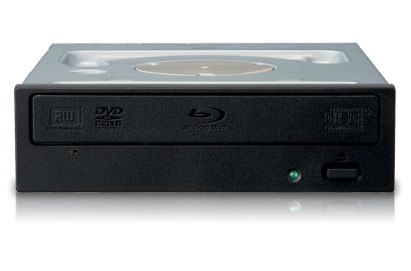
pioneer BDR-206_reg

So at the beginning of 2011, I finally bought a Blu-ray writer - Pioneer BDR-206. Actually, I got the retailed BDR-2206, which comes with Blu-ray playback software PowerDVD and an extra case. Otherwise it’s exactly the same as the OEM BDR-206. I was a bit disappointed to find out even the 2206 didn’t include power and SATA cables. BDR-206 is more like a price-down re-release of last year’s BDR-205 rather than introducing something new. Well, there’s the BDR-206MBK which is world’s first BDXL 128GB quod layer writer… Here are some initial impression.

To go along with the writer, I ordered 5 Mitsubishi BD-RE DLs and 3 Sony BD-RE SLs on ebay which shipped from Japan, rather than going with the domestic ones which one BD-RE DL will cost a ridiculous fortune. Majority of my projects are BD50’s, I have very little use of BD25 discs.

mitsubishi bd-re dl

For the BD-RE DLs, I was able to get the original packaged Mitsubishi 5 pack. The discs come with a media code TDKBLD-Wfa-000. I was a bit disappointed and was worried about the compatibility with my Playstation 3 since I read online that this specific media code doesn’t go along with the launch 60GB Playstation 3 well. But fortunately, everything went extremely smooth, I was able to play it without any problem. I’ve watched two movies all the way through without any problem. The first time of using requires a full format which takes as long as writing the discs to full which is 90 min. The data verification process takes about half of the time at 45 min. And as the instructions about imgburn above, I burned these discs with spare area without any problem.

sony bd-re

For the Sony BD-RE SLs, I bought the re-packaging ones. These come with packaged without the case. I have no problem using these either, everything went smoothly. But I have to admit worrying about the legitimacy of these discs at first. The disc media code is SONY-ES1-002, which I believe are the same as the ones sold in US. The burning process takes exactly half of the time as BD-RE DLs since BD-RE SLs are exactly half of the size unlike DVD 5 vs DVD 9.

I’ve also burned some CDs and DVD 5s using this writer, and everything is smooth, but I’ve only got verbatim ones, can’t test anything else.

Lastly, some testings on my projects so far:

PS3_BD-RE testing1

1. The projects authored in Scenarist BD has a very GOOD compatibility in PS3’s compatibility. There’s a playlist with PIP and always-on menu I had in the project, I could never get this to work in PowerDVD 10 various patches and TMT3/5, Sonic’s Scenarist QC worked to some extent, but it runs exactly as I intended in PS3! Other navigation stuff all worked correctly which exceeds my expectation. Since PS3 DVD’s playback has some quirks, I’m a bit overjoyed.

2. The current top menu audio switching isn’t very smooth, I need to change it to switch at the end of the playlist rather than switching right away.

3. The picture in the metadata, as shown above, needs to have much larger texts. The two picture size are only 640*360 and 416*240.

4. Return button might need to use a second button in BOG to turn off popup menu, otherwise the menu would stick on screen until the title is jumped.


Here goes the 04052011 update:

Some more experience on Blu-ray burning, most of the discovery is posted HERE:

1. The BD-RW DL needs a “break in” on first time use. It is best to burn the disc to FULL 46.61GB the first time!

2. DO NOT write *.img files to BD-RW DL if you have a Pioneer burner, it will cause permanent BAD SECTORS to the disc!

3. If you create an mds file from the info given by Scenarist BD, the layer break shown in imgburn is for reference ONLY. Imgburn does not support Blu-ray layer break because the author cannot find such a command to stop the burner.

4. Changing layer break setting WILL affect the output *.img file in Scenarist BD. Although the file size will be the same (as expected since nothing is added or removed), the hash values are different. The differences can be compared using a HEX editor.

When you output images, you also get the following extra files:
file_addr.map (contains the file sequences info I talked about earlier)
Layer1LSNInfo.txt (contains layer break sector)
MDC_Image0.dat
Pic_info_mux.dat
ucd0.dat (it's for layer0 info, but filled with ALL 0s, the size typically ranges somewhere 200MB+ and proportional to the layer break setting)
ucd0.dat.SHA
ucd1.dat (it's for layer1 info, but filled with ALL 0s, the size typically ranges somewhere 100MB+ and proportional to the layer break setting)
ucd1.dat.SHA
These files seem to be used for replication purpose, I found a patent explaining these files
HERE.


HERE goes 20110419 Update:

Verbatim BD-R DL VERBAT-IMd-000 

After somewhat semi-successful experience with BD-RW DLs, I finally stepped up to the new “brave” world of BD-R DL burning. This time I got the original packaged Mitsubishi Verbatim 1-4x BD-R DLs, 5 pack. Disc ID: VERBAT-IMd-000. The packaging doesn’t say the origin of manufacturing, but from the info I found online, it’s supposed to be Singapore. I’ve finished burning all 5 discs now. I don’t have any problem for this batch, all burned and verified by imgburn successfully. I’ve tested playing the first disc, there’s no skipping so far. Also these discs are inkjet printable, so I got an EPSON Artisan 725 yesterday and printed cover arts on them successfully. The only problem is that these discs have a wrap around verbatim brand info which you can’t print over. It’s somewhat annoying. Otherwise I’m pretty satisfied with the finished work, looks very professional.

Monday, April 18, 2011

Playstation 3 Music DSD Disc Testing


I stumbled upon the this website all you need to know about SONY’s SACD format. I know the fat PS3, at least the launch models was capable of playing SACD. But this is the first time I’ve heard that PS3 is capable of playing yet another audio format called DSD. And all PS3 models are supported.

Photobucket
 
The DSD format is actually pretty open, it is stored on DVDs (any type, file system has to be UDF 1.02). It is the equivalent of CD to CD-R as of SACD to DSD. The file format is *.dsf, supports ID3v2 tags and unicode naming. DSD uses 1 bit sampling at 2.8224Mhz, which is 64 times the 44.1Khz CD uses. The resulting file size is around 300MB for a 5min song. The *.dsf file supports 2ch ONLY, which is stripped from SACD’s *.dff format which supports 5.1ch. It uses *.ddp playlist. There’s no limit on the number of playlist, however, only 255 songs can be read from players.


Here is a file structure diagram:
 
image
 
Photobucket
 
Wheatus is offering free samples HERE. But unfortunately the playlist is NOT read by PS3?Or optionally, you can create your own music with KORG’s Audiogate software.
 
Here is the quick spec written back in 2006, pretty outdated…